How to Choose the Best DC UPS for Your Router Needs?
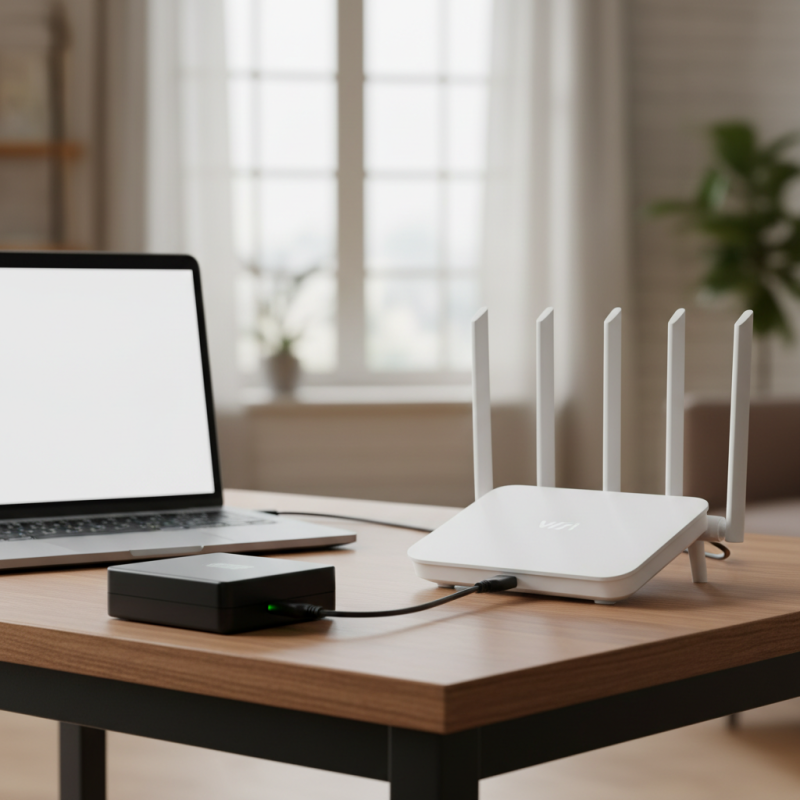
Choosing the right DC UPS for your router is crucial for a seamless internet experience. A dependable dc ups for router ensures continuous power supply, especially during outages. This choice protects your router and enhances your network's stability.
When evaluating options, factor in the power requirements of your router. High-performance routers may need more robust backup systems. Not all DC UPS models offer the same capacity and features. Some may lack sufficient battery life or fail to support multiple devices, which can be limiting.
It's essential to weigh both performance and reliability. Some users report poor experiences with specific brands or models. Look for reviews and expert insights. The right DC UPS for router can prevent frustrating downtime, making it a worthwhile investment for anyone serious about their internet connection. However, it’s important to reflect on budget constraints while seeking quality.
Understanding the Importance of a DC UPS for Router Performance
When it comes to ensuring consistent router performance, a DC UPS is crucial. Many users overlook the importance of stable power supply. An unstable or intermittent power source can lead to router failures, reduced speeds, and even data loss. A good DC UPS provides clean and consistent power, which is essential for maintaining optimal router performance.
Choosing the right DC UPS involves considering several factors. Your router's power requirements are paramount. Look at the voltage and current specifications. Aim for a UPS that exceeds these specs slightly for reliability. Additionally, battery life matters. A UPS with a longer battery span allows your router to function during outages, which is vital for uninterrupted internet access.
You might think all UPS units are the same, but that's not true. Some features may seem attractive but can compromise your needs. Features like overcharging protection must not be ignored. Inadequate features can lead you to frequent resets or even damage your equipment. Reflecting on these aspects will help you make a informed decision on the best DC UPS.
Key Features to Consider When Selecting a DC UPS for Your Router
When selecting a DC UPS for your router, consider several key features. Power capacity is crucial. It determines how long your devices can run during an outage. According to recent industry reports, a UPS with a capacity of 500VA can provide sufficient backup for most home routers and modems. Look for models that offer pure sine wave output. This ensures stable power, reducing the risk of damage to delicate electronics.
Battery runtime is another vital consideration. Check the estimated duration a UPS can sustain power during an outage. Many devices today rely on connectivity, making this feature essential. A UPS with adjustable runtime settings can allow flexibility, adapting to your specific needs. Industry standards suggest a minimum of 20-30 minutes of backup time for small-scale users.
Tips: Always opt for models with replaceable batteries. This ensures longevity and can save costs over time. Regular maintenance checks are necessary to ensure battery health. Don’t ignore the importance of surge protection features, which safeguard your equipment from voltage spikes.
Power Capacity of DC UPS for Routers
The following bar chart displays the recommended power capacity (in watts) for different types of routers that can be supported by a DC UPS. The data is based on typical power consumption requirements.
Assessing Power Requirements for Your Specific Router Model
When selecting a DC UPS for your router, understanding your specific power requirements is crucial. Different router models can vary significantly in their energy consumption. According to a report by the International Telecommunication Union, average home routers consume between 5 to 20 watts. Higher-end models, especially those with multiple bands and advanced features, can reach up to 30 watts.
Calculating your router's power needs involves checking the manufacturer's specifications and adding a cushion for efficiency.
It's important to remember that power supply variability can affect performance. A UPS should provide at least 20% more power than your router's maximum requirement. For example, if your router requires 15 watts, look for a UPS that can supply 18 to 20 watts. Efficient battery technology can also play a role in longevity. In fact, research shows that lithium-ion batteries are more efficient than traditional lead-acid ones, offering longer life cycles and less maintenance.
Moreover, consider the duration of backup power you need. Most UPS devices state runtime based on load levels. Running a 20-watt router on a 200-watt UPS may give you only a short runtime. Typical runtime might range from 30 minutes to several hours. Be aware that as the load increases, the backup duration decreases substantially. Evaluating these factors will help you make an informed choice that fits your specific needs.
Comparing Different DC UPS Brands and Models Available in the Market
Choosing the right DC UPS can be challenging. The market offers a wide range of options, but not all are created equal. Research indicates that a substantial percentage of users face power interruptions, impacting their routers. These interruptions can affect overall internet performance and connectivity, leading to disruptions during critical hours.
When comparing models, consider their capacity, efficiency, and features. For instance, a report from the Institute of Electrical and Electronics Engineers (IEEE) notes that DC UPS units with a capacity of 400-600W are ideal for typical home routers. Efficiency ratings also vary widely; some models boast over 90% efficiency while others fall below 80%. This discrepancy can lead to increased energy costs over time. Users often overlook these details while focusing on other features.
Moreover, while many brands promote advanced features, users should assess the practicality of those features. Some models offer extensive monitoring options. However, these can be complex and may not provide real-world benefits for everyday users. Understanding the balance between features and genuine needs is crucial. Ultimately, the goal is to ensure stable power for your router, enabling seamless online experiences.
How to Choose the Best DC UPS for Your Router Needs? - Comparing Different DC UPS Brands and Models Available in the Market
| Model | Input Voltage | Output Voltage | Battery Capacity | Runtime (Approx.) | Weight | Price Range |
| Model A | 85-265V AC | 12V DC | 12Ah | 4 hours | 3 kg | $80 - $100 |
| Model B | 100-240V AC | 12V DC | 7Ah | 3 hours | 2.5 kg | $60 - $80 |
| Model C | 90-265V AC | 12V DC | 9Ah | 3.5 hours | 2.8 kg | $70 - $90 |
Installation and Maintenance Tips for Optimal DC UPS Functionality
When choosing a DC UPS for your router, installation and maintenance are crucial for optimal performance. Begin with a suitable location. Ensure it is tidy and has good airflow. Avoid placing the UPS in direct sunlight or near heat sources. Secure the UPS on a stable surface to prevent any physical damage. Proper placement helps in maintaining the internal temperature and efficiency.
Regular maintenance is key to longevity. Check connections consistently for dust or corrosion. A clean environment ensures that your UPS functions smoothly. Schedule battery tests at least twice a year. Weak batteries can lead to unexpected downtime. Document any battery issues or replacements, as this can help track performance over time.
Many users overlook software updates. Ensure your UPS firmware is current. This may enhance performance and expand features. An outdated system can risk stability. Don’t hesitate to reach out for professional assistance. Sometimes, it’s best to have an expert handle complex installations or repairs. Regular care not only prolongs lifespan but also guarantees that your router stays powered during outages.
 Skip to content